

Ballarat Hackerspace
Powered by
Past events
All events
Past events
Nov
12
2025
Past Event
BRAIN - AI Applications and Tooling Meetup
Ballarat Hackerspace
18:30 – 19:30
Come share and learn how people are actually using AI in their day-to-day work - whether that's coding, engineering, creative projects, or solving business problems.
We'll skip the "what is AI" basics and focus on practical stuff: real workflows, useful tools, and honest experiences. You don't need to be an AI expert - just curious about doing more than asking ChatGPT questions.
What to expect:
Main Talk: A chosen presenter will give a 15-30 minute feature talk on an emerging AI technology or a unique use-case in their industry.
Lightning Talks: Any participants are welcome to stand up for 5 minutes and talk/show how they use AI day to day, or a project they're excited about.
Info about BRAIN (Ballarat Regional AI Network) and future meetups
Who should come: Anyone already tinkering with AI or ready to move beyond the basics. Developers, engineers, creators, business folks - all welcome. Bring your laptop if you want to try things out.
This is a collaboration between BRAIN (www.brain.net.au) and Ballarat Hackerspace. We're planning more sessions, so let us know if you'd like to present your own AI workflow at a future meetup.
Main Talk: Scott Weston, Ballarat Hackerspace President.
Local AI at the Hackerspace: Code, Systems, and Live Demos
Join us for a deep-dive into how the Hackerspace is experimenting with running AI models locally on our own hardware and integrated into our own systems.
Topic's covered: Text, image and audio generation. Software used. System architecture breakdown. Live demos.
If you’re a developer, engineer, or curious technologist, this session is a hands-on look at running and integrating local LLMs into real-world environments
Tickets required - see you there!
Oct
08
2025
Past Event
BRAIN - AI Applications and Tooling Meetup
Ballarat Hackerspace
18:30 – 19:30
Come share and learn how people are actually using AI in their day-to-day work - whether that's coding, engineering, creative projects, or solving business problems.
We'll skip the "what is AI" basics and focus on practical stuff: real workflows, useful tools, and honest experiences. You don't need to be an AI expert - just curious about doing more than asking ChatGPT questions.
What to expect:
Main Talk: A chosen presenter will give a 15-30 minute feature talk on an emerging AI technology or a unique use-case in their industry.
Lightning Talks: Any participants are welcome to stand up for 5 minutes and talk/show how they use AI day to day, or a project they're excited about.
Info about BRAIN (Ballarat Regional AI Network) and future meetups
Who should come: Anyone already tinkering with AI or ready to move beyond the basics. Developers, engineers, creators, business folks - all welcome. Bring your laptop if you want to try things out.
This is a collaboration between BRAIN (www.brain.net.au) and Ballarat Hackerspace. We're planning more sessions, so let us know if you'd like to present your own AI workflow at a future meetup.
Main Talk: Scott Weston, Ballarat Hackerspace President.
Local AI at the Hackerspace: Code, Systems, and Live Demos
Join us for a deep-dive into how the Hackerspace is experimenting with running AI models locally on our own hardware and integrated into our own systems.
Topic's covered: Text, image and audio generation. Software used. System architecture breakdown. Live demos.
If you’re a developer, engineer, or curious technologist, this session is a hands-on look at running and integrating local LLMs into real-world environments
Tickets required - see you there!
Oct
01
2025
Past Event
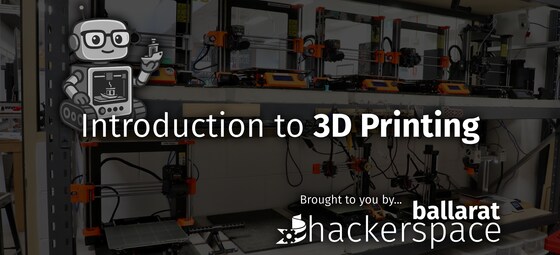
Introduction to 3D Printing for Makers/Artists
Ballarat Hackerspace
18:30 – 20:30
The Ballarat Hackerspace is hosting "Introduction to 3D Printing for Makers and Artists" workshops on the 1st Wednesday of every month.
Whether you're an amateur maker, artist, professional product designer/prototyper, or just keen learner of hands-on crafts, this is a casual workshop evening for adults of all skill levels to learn how 3D printers work, go through the workflow from creating/finding artwork and editing/slicing the files, to a small finished product/item that you can take home with you.
Absolutely no experience necessary, volunteer members of the Hackerspace will be on hand to show you through the process.
We're also doing "Introduction to Laser Cutting" workshops on the 3rd Wedneday of every month. Check our website for more details if you're interested in that.
Tickets are required, and bookings close 48 hours before the event so that we can plan appropriately for numbers.
These workshops are 18+ only due to insurance/liability reasons.
Tickets are free for existing members of the Hackerspace. If you're currently a member and wish to attend, please make sure you're logged in to TidyHQ and the free ticket below will process for you.
Sep
17
2025
Past Event
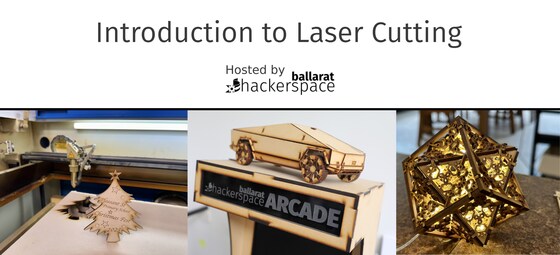
Introduction to Laser Cutting for Makers/Artists
Ballarat Hackerspace
18:30 – 20:30
The Ballarat Hackerspace is hosting "Introduction to Laser Cutting for Makers and Artists" workshops on the 3rd Wednesday of every month.
Whether you're an amateur maker, artist, professional product designer/prototyper, or just keen learner of hands-on crafts, this is a casual workshop evening for adults of all skill levels to learn how laser cutters work, go through the workflow from creating/finding artwork and editing/formatting the files, to a small finished product/item that you can take home with you.
Absolutely no experience necessary, volunteer members of the Hackerspace will be on hand to show you through the process.
We're also doing "Introduction to 3D Printing" workshops on the 1st Wedneday of every month. Check our website for more details if you're interested in that.
Tickets are required, and bookings close 48 hours before the event so that we can plan appropriately for numbers.
These workshops are 18+ only due to insurance/liability reasons.
Tickets are free for existing members of the Hackerspace. If you're currently a member and wish to attend, please make sure you're logged in to TidyHQ and the free ticket below will process for you.
Sep
10
2025
Past Event
BRAIN - AI Applications and Tooling Meetup
Ballarat Hackerspace
18:30 – 19:30
Come share and learn how people are actually using AI in their day-to-day work - whether that's coding, engineering, creative projects, or solving business problems.
We'll skip the "what is AI" basics and focus on practical stuff: real workflows, useful tools, and honest experiences. You don't need to be an AI expert - just curious about doing more than asking ChatGPT questions.
What to expect:
Dr Rob Layton will share how he uses claude code for software development - including what's been great, what's been frustrating, and tips he's picked up
Open discussion about different AI tools and approaches
Chance to share your own experiments or ask specific questions
Info about BRAIN (Ballarat Regional AI Network) and future meetups
Who should come: Anyone already tinkering with AI or ready to move beyond the basics. Developers, engineers, creators, business folks - all welcome. Bring your laptop if you want to try things out.
This is a collaboration between BRAIN (www.brain.net.au) and Ballarat Hackerspace. We're planning more sessions, so let us know if you'd like to present your own AI workflow at a future meetup.
Tickets required - see you there!
Aug
20
2025
Past Event
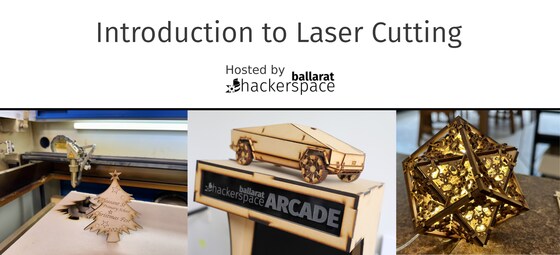
Introduction to Laser Cutting for Makers/Artists
Ballarat Hackerspace
18:30 – 20:30
The Ballarat Hackerspace is hosting "Introduction to Laser Cutting for Makers and Artists" workshops on the 3rd Wednesday of every month.
Whether you're an amateur maker, artist, professional product designer/prototyper, or just keen learner of hands-on crafts, this is a casual workshop evening for adults of all skill levels to learn how laser cutters work, go through the workflow from creating/finding artwork and editing/formatting the files, to a small finished product/item that you can take home with you.
Absolutely no experience necessary, volunteer members of the Hackerspace will be on hand to show you through the process.
We're also doing "Introduction to 3D Printing" workshops on the 1st Wedneday of every month. Check our website for more details if you're interested in that.
Tickets are required, and bookings close 48 hours before the event so that we can plan appropriately for numbers.
These workshops are 18+ only due to insurance/liability reasons.
Tickets are free for existing members of the Hackerspace. If you're currently a member and wish to attend, please make sure you're logged in to TidyHQ and the free ticket below will process for you.
Aug
06
2025
Past Event
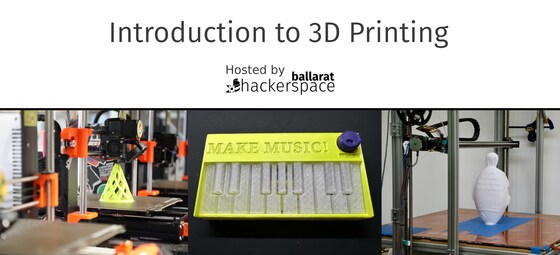
Introduction to 3D Printing for Makers/Artists
Ballarat Hackerspace
18:30 – 20:30
The Ballarat Hackerspace is hosting "Introduction to 3D Printing for Makers and Artists" workshops on the 1st Wednesday of every month.
Whether you're an amateur maker, artist, professional product designer/prototyper, or just keen learner of hands-on crafts, this is a casual workshop evening for adults of all skill levels to learn how 3D printers work, go through the workflow from creating/finding artwork and editing/slicing the files, to a small finished product/item that you can take home with you.
Absolutely no experience necessary, volunteer members of the Hackerspace will be on hand to show you through the process.
We're also doing "Introduction to Laser Cutting" workshops on the 3rd Wedneday of every month. Check our website for more details if you're interested in that.
Tickets are required, and bookings close 48 hours before the event so that we can plan appropriately for numbers.
These workshops are 18+ only due to insurance/liability reasons.
Tickets are free for existing members of the Hackerspace. If you're currently a member and wish to attend, please make sure you're logged in to TidyHQ and the free ticket below will process for you.
Jul
16
2025
Past Event
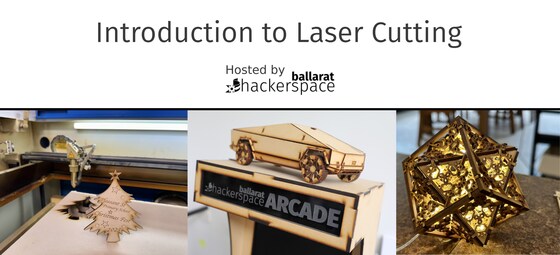
Introduction to Laser Cutting for Makers/Artists
Ballarat Hackerspace
18:30 – 20:30
The Ballarat Hackerspace is hosting "Introduction to Laser Cutting for Makers and Artists" workshops on the 3rd Wednesday of every month.
Whether you're an amateur maker, artist, professional product designer/prototyper, or just keen learner of hands-on crafts, this is a casual workshop evening for adults of all skill levels to learn how laser cutters work, go through the workflow from creating/finding artwork and editing/formatting the files, to a small finished product/item that you can take home with you.
Absolutely no experience necessary, volunteer members of the Hackerspace will be on hand to show you through the process.
We're also doing "Introduction to 3D Printing" workshops on the 1st Wedneday of every month. Check our website for more details if you're interested in that.
Tickets are required, and bookings close 48 hours before the event so that we can plan appropriately for numbers.
These workshops are 18+ only due to insurance/liability reasons.
Tickets are free for existing members of the Hackerspace. If you're currently a member and wish to attend, please make sure you're logged in to TidyHQ and the free ticket below will process for you.
Jul
02
2025
Past Event
Introduction to 3D Printing for Makers/Artists
Ballarat Hackerspace
18:30 – 20:30
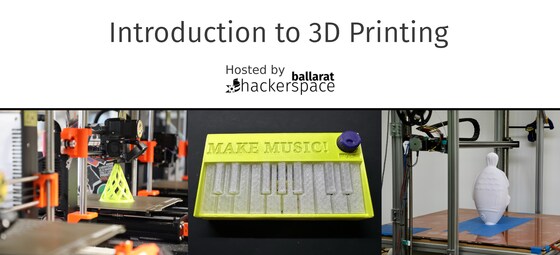
The Ballarat Hackerspace is hosting "Introduction to 3D Printing for Makers and Artists" workshops on the 1st Wednesday of every month, starting July 2025.
Whether you're an amateur maker, artist, professional product designer/prototyper, or just keen learner of hands-on crafts, this is a casual workshop evening for adults of all skill levels to learn how 3D printers work, go through the workflow from creating/finding artwork and editing/slicing the files, to a small finished product/item that you can take home with you.
Absolutely no experience necessary, volunteer members of the Hackerspace will be on hand to show you through the process.
We're also doing "Introduction to Laser Cutting" workshops on the 3rd Wedneday of every month. Check our website for more details if you're interested in that.
These workshops are 18+ only due to insurance/liability reasons.
Tickets are free for existing members of the Hackerspace. If you're currently a member and wish to attend, please make sure you're logged in to TidyHQ and the free ticket below will process for you.
Jun
18
2025
Past Event
Introduction to Laser Cutting for Makers/Artists
Ballarat Hackerspace
18:30 – 20:30
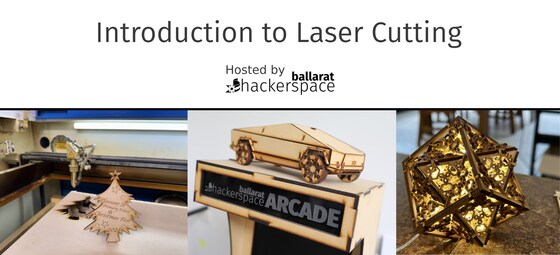
The Ballarat Hackerspace is hosting "Introduction to Laser Cutting for Makers and Artists" workshops on the 3rd Wednesday of every month, starting June 2025.
Whether you're an amateur maker, artist, professional product designer/prototyper, or just keen learner of hands-on crafts, this is a casual workshop evening for adults of all skill levels to learn how laser cutters work, go through the workflow from creating/finding artwork and editing/formatting the files, to a small finished product/item that you can take home with you.
Absolutely no experience necessary, volunteer members of the Hackerspace will be on hand to show you through the process.
We're also doing "Introduction to 3D Printing" workshops on the 1st Wedneday of every month. Check our website for more details if you're interested in that.
These workshops are 18+ only due to insurance/liability reasons.
Tickets are free for existing members of the Hackerspace. If you're currently a member and wish to attend, please make sure you're logged in to TidyHQ and the free ticket below will process for you.
Nov
29
2023
Past Event
Try One Thing - Laser Cut: Festive Bling
Ballarat Hackerspace
18:00 – 20:00
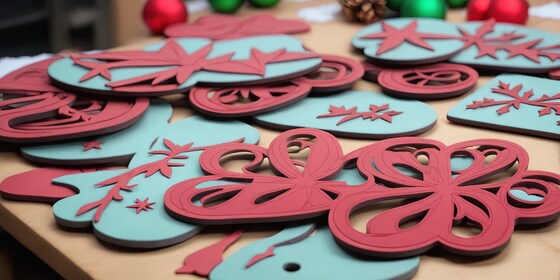
Design and Laser cut your very own Bling this festive season.
Come along to this free introductory session at Ballarat Hackerspace.
You will design and learn how to laser cut ornaments, wearable art and more to keep.
Try One Thing is a new learning program by the Ballarat Libraries aimed at adult learners to promote creativity & innovation, learn new skills, improve social wellbeing, have free access to resources and equipment and learn about new and emerging technologies.
Please note: You can only book in for one of the sessions.
Register here: https://events.humanitix.com/try-one-thing-laser-cut-festive-bling
Nov
22
2023
Past Event
Try One Thing - Laser Cut: Festive Bling
Ballarat Hackerspace
18:00 – 20:00
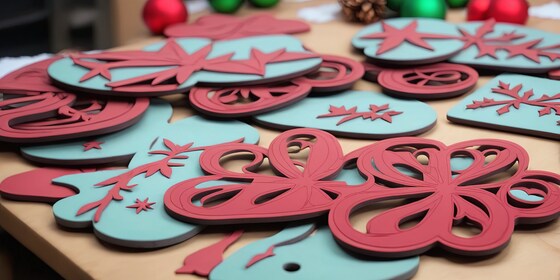
Design and Laser cut your very own Bling this festive season.
Come along to this free introductory session at Ballarat Hackerspace.
You will design and learn how to laser cut ornaments, wearable art and more to keep.
Try One Thing is a new learning program by the Ballarat Libraries aimed at adult learners to promote creativity & innovation, learn new skills, improve social wellbeing, have free access to resources and equipment and learn about new and emerging technologies.
Please note: You can only book in for one of the sessions.
Register here: https://events.humanitix.com/try-one-thing-laser-cut-festive-bling
